How to track campaign content and import missing posts in Leewou
Track campaign content in Leewou, filter posts quickly, and import missing posts when automatic collection has not caught up.
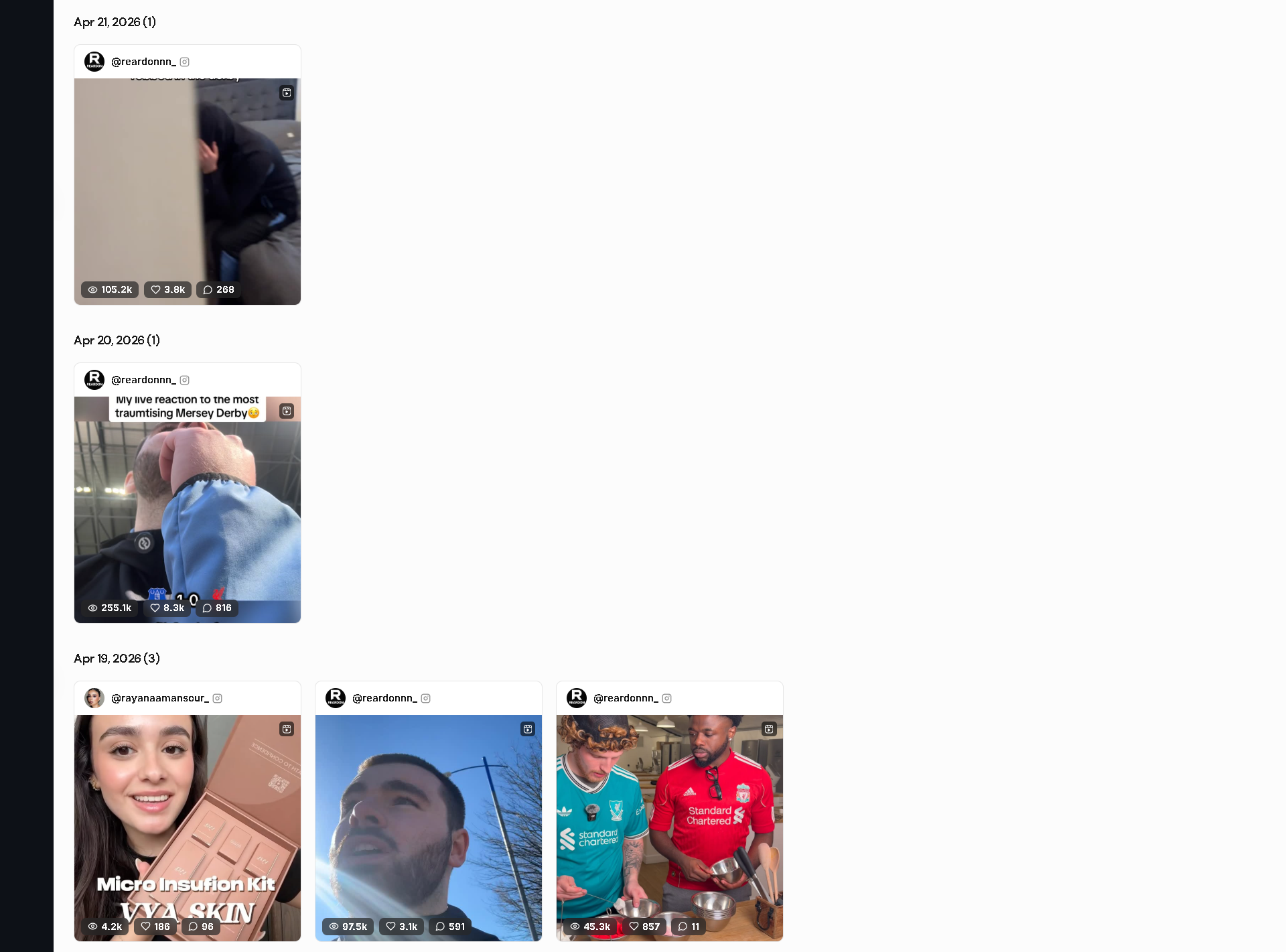
The Content tab is where campaign monitoring becomes operational. You can see what creators posted, why content matched your rules, and where manual import is needed.
Understand what your mode collects
In Standard mode, collection is driven by your tracked hashtags, mentions, and keywords. In Event mode, all content from tracked creators is collected and matched terms are highlighted separately.
Content is grouped by publish date so teams can review day by day before drilling into individual posts.
Filter first, then open cards
The filter bar is built to reduce review time. Narrow by creator, channel, sort order, and content type before opening detail views.
- All creators or a specific @username
- Channel
- Sort by Date or Engagement
- Content type: Posts, Reels, Carousels, Stories, TikTok Videos, TikTok Image Posts, YouTube Videos, YouTube Shorts
- Clear filters to reset
Pro tip: Use Sort by Engagement for quick winner/loser review, then switch to Date when checking freshness.

Use detail modal to verify match logic
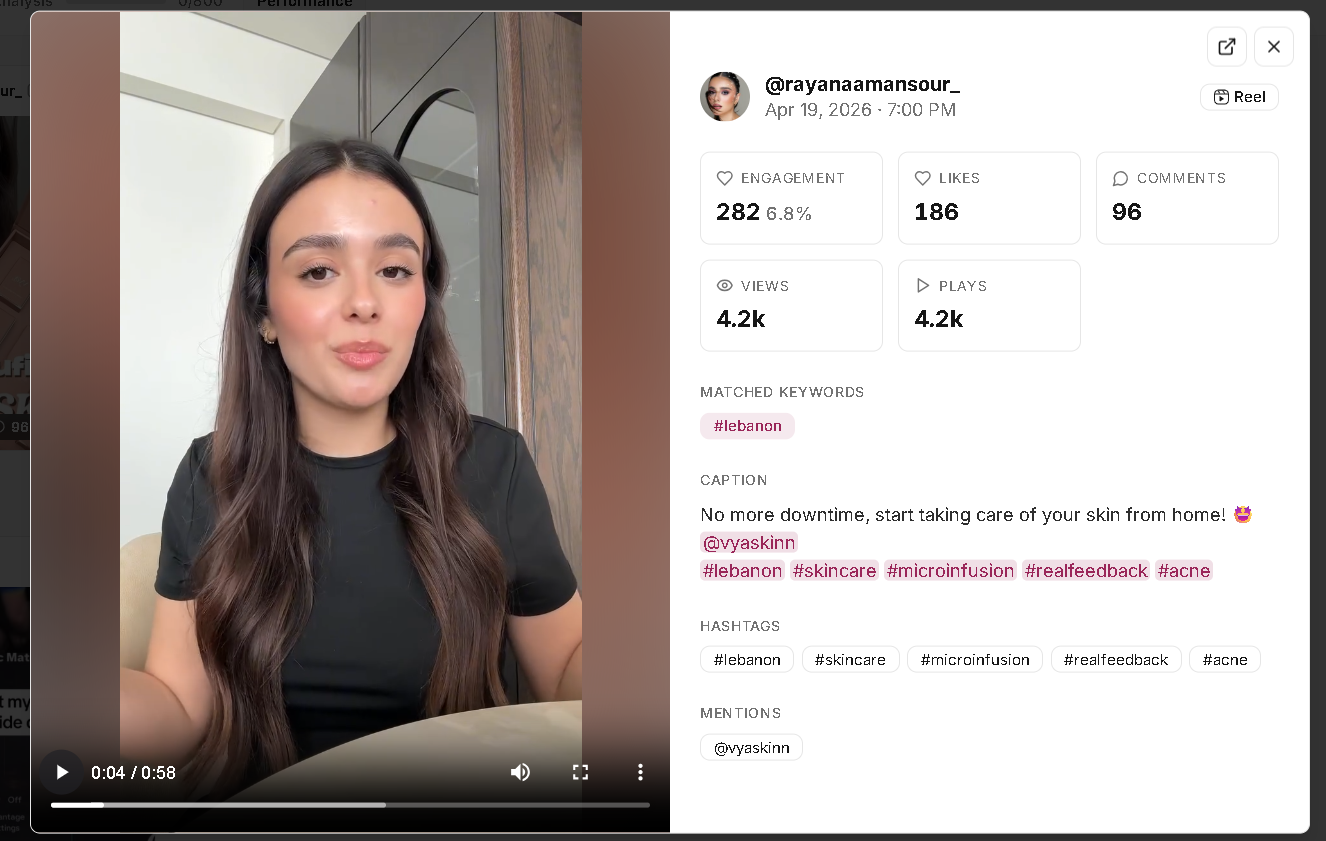
Open any content card to inspect full detail: creator, publish time, metrics, caption or title, hashtags, mentions, and matched keywords.
This is the fastest way to answer why a post was included. Matched keywords are highlighted so reviewers do not need to guess.
Import missing posts when needed
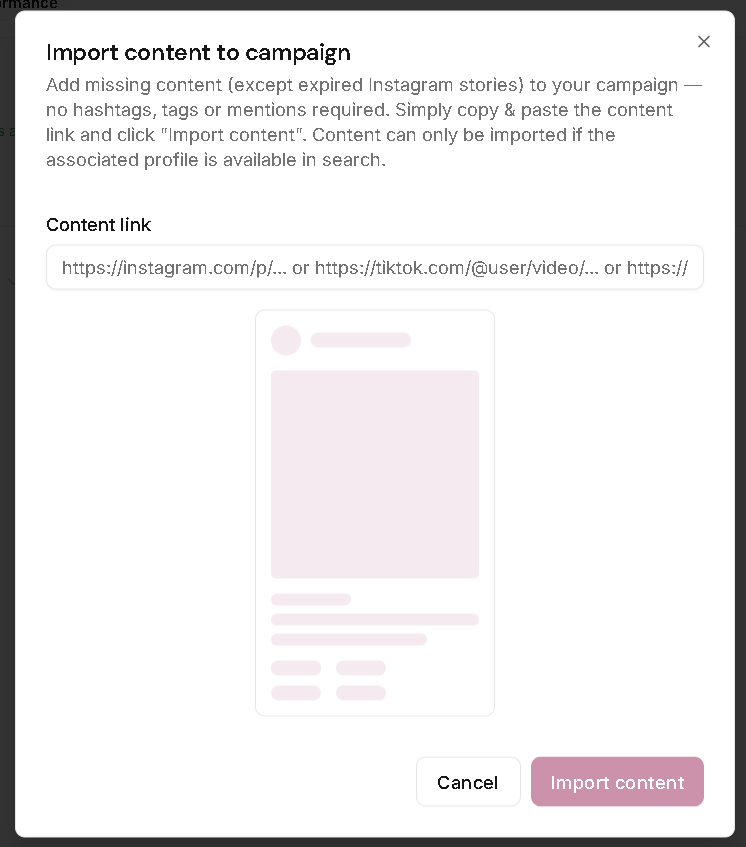
Use Import content when valid campaign content is missing. Paste a content URL and run import directly from the Content tab.
- Click Import content.
- Paste the post URL.
- Click Import content in the dialog.
The import dialog allows Instagram, TikTok, and YouTube-style URLs. It also states two important limits: expired Instagram stories cannot be imported, and content can only be imported when the associated profile is available in search.
Campaign Monitoring and manual content import are paid-plan features. Trial workspaces must upgrade to use this flow.
Troubleshoot empty content without guessing
- Check header sync state first.
- Confirm the campaign start date includes the expected posts.
- Verify creators actually posted in the campaign window.
- Reconfirm tracking mode and tracked terms.
- Import content manually when a valid post is still missing.
FAQ