What is Leewou and how does it work?
Learn what Leewou does, how Discover, Manage, and Monitor fit together, and what to expect in your first session.
Leewou is an influencer marketing platform for finding creators, reviewing audience data, and keeping your shortlist organized without bouncing between spreadsheets and tabs. If you searched "what is Leewou," the short answer is this: it gives you one workspace for discovery, profile analysis, lists, and campaign monitoring
The easiest way to understand the product is to follow the real workflow. You search in Discover, save strong profiles into lists, organize the relationship in Manage, and keep an eye on credits and plan details from the header and billing pages.
What Leewou helps you do
Leewou is built around the parts of creator research that usually get messy fast. Instead of running discovery in one tool and list management in another, the platform keeps those steps connected.
- Search creators across Instagram, TikTok, and YouTube with audience, performance, and content filters.
- Open full profile analyses to review audience demographics, engagement patterns, follower quality, and creator fit before you shortlist anyone.
- Save creators into lists, then manage statuses, labels, notes, assignees, exports, and email unlocks from one place.
- Use the Monitor area for campaign tracking if it is available in your workspace.
How the workspace is laid out
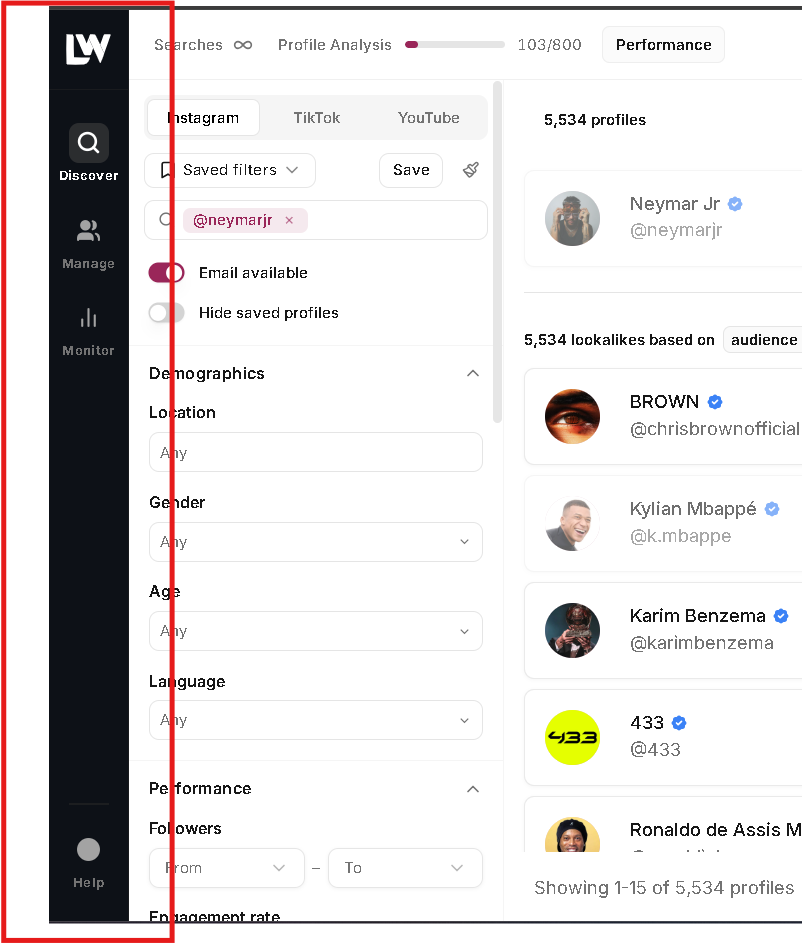
The left sidebar gives you the main product flow. Once you know what each area does, the rest of the app feels much more obvious.
- Discover is where you run creator searches, switch platforms, apply filters, and open profile analysis.
- Manage opens your lists area at /manage/lists, where you create lists, import creators, review hidden profiles, and organize creator relationships.
- Monitor is the campaign area. Some workspaces may still see a coming-soon screen there while campaign monitoring is being rolled out.
- Help lives in the bottom of the sidebar, while Plan & Billing and account settings live in the top-right profile menu.
If this is your first hour in Leewou, stay focused on Discover and Manage. That is enough to get a solid shortlist moving before you worry about anything else.
What to do in your first session
Your first session should end with something usable, not just a tour of the interface. This is the fastest path.
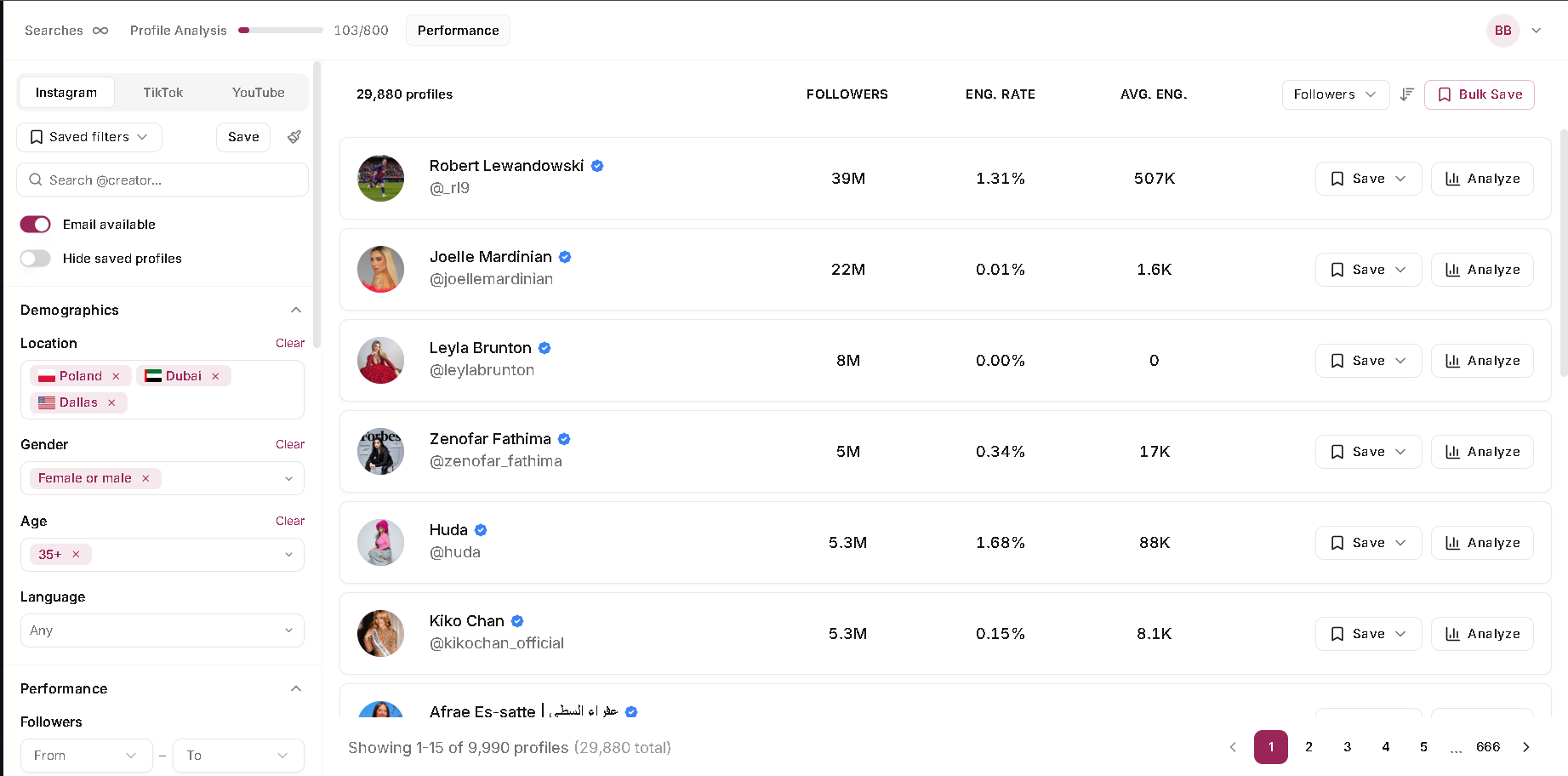
- Open Discover and choose the platform you want to search first: Instagram, TikTok, or YouTube.
- Run one narrow search with audience and creator filters instead of trying to learn every filter at once.
- Open a full profile analysis when a creator looks promising so you can review the audience before saving them.
- Save the strongest profiles into a list, then move to Manage to sort them by status, notes, labels, or assignee.
- If you already have creator research in a spreadsheet, use Manage > Import and bring it into a new or existing list.
How credits work in Leewou
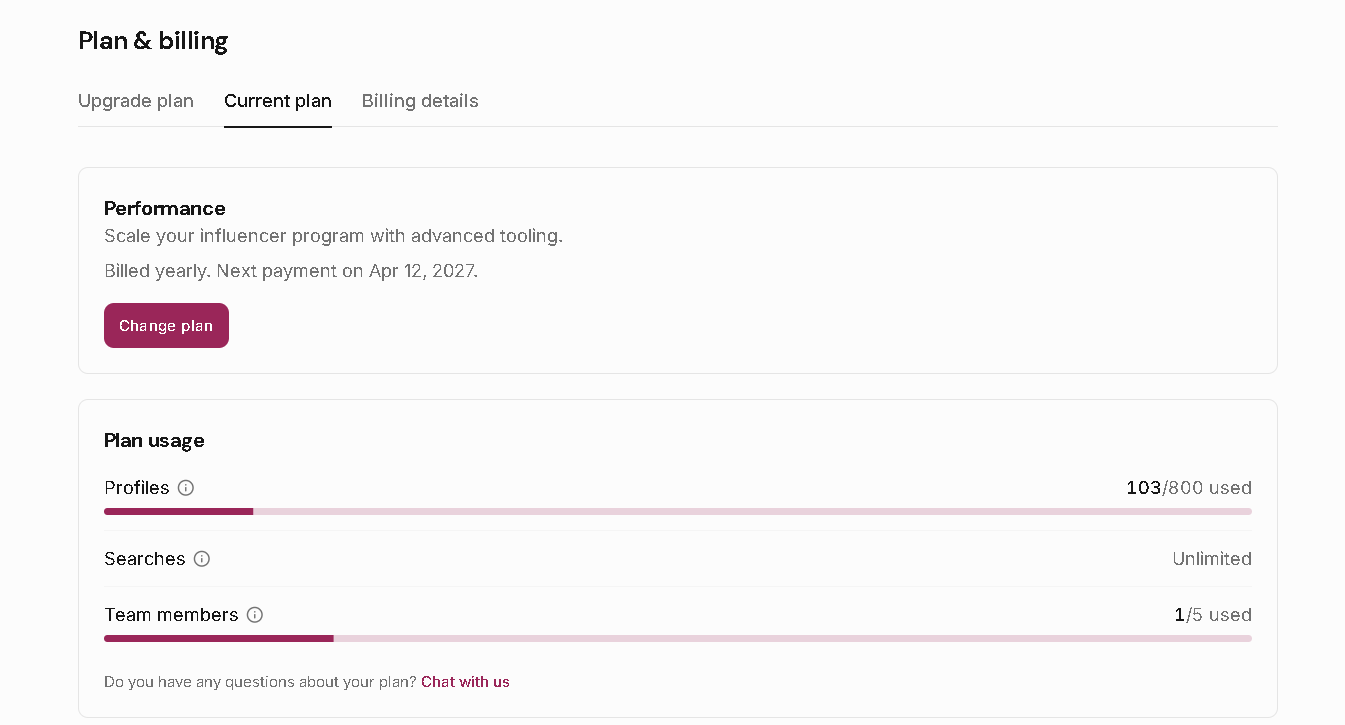
Leewou tracks two credit types: Searches and Profile Analysis. You can see both in the header while you work and in the billing or subscription screens when you need the full usage view.
- A search credit is used when you run a discovery search.
- A profile analysis credit is used when you open the full analytics view for a creator.
- The 14-day free trial includes 20 analysis credits and 40 search credits, with no credit card required to start.
- Paid plans move search to unlimited and increase monthly profile analysis credits based on plan tier.
Trial workspaces are limited to one team member. Paid plans increase team limits, so if you plan to split list review across teammates, that is worth checking early.
What to know before you start
A few product details matter early because they shape how you onboard your team and how you set expectations internally.
- Discovery and import currently support Instagram, TikTok, and YouTube.
- Manage is where list building actually becomes usable, because that is where statuses, notes, labels, assignees, exports, and email workflows live.
- Bulk Save is a paid-plan feature, so trial users should expect to save creators individually while they learn the product.
FAQ
Frequently asked questions about Leewou
These are the questions new teams usually ask once they move past the homepage and into the actual workspace.