How to find creator contact information in Leewou
Find creator contact information in Leewou with Email available and Socials filters, then check public links and use Unlock Email from the Relationship panel.
Creator contact information is one of those things that feels simple until your search is full of great profiles you cannot reach. Leewou gives you a faster way to find contactable creators, but you need to use the search filters, the public link chips in Profile Analytics, and the separate Unlock Email flow together. If you only do one side, you either miss good fits or waste time opening the wrong profiles.
Start with Email available when speed matters
The fastest filter is the Email available toggle at the top of Discover. Turn it on when the brief needs creators you can contact right away. Leave it off when you are still mapping the market and do not want contactability to shrink the pool too early.
- Run the search with audience and performance fit first.
- Turn on Email available if outreach is part of the current pass.
- Open the Other section and use Socials when you need a specific contact route, like phone, Linktree, TikTok, YouTube, or LinkedIn.
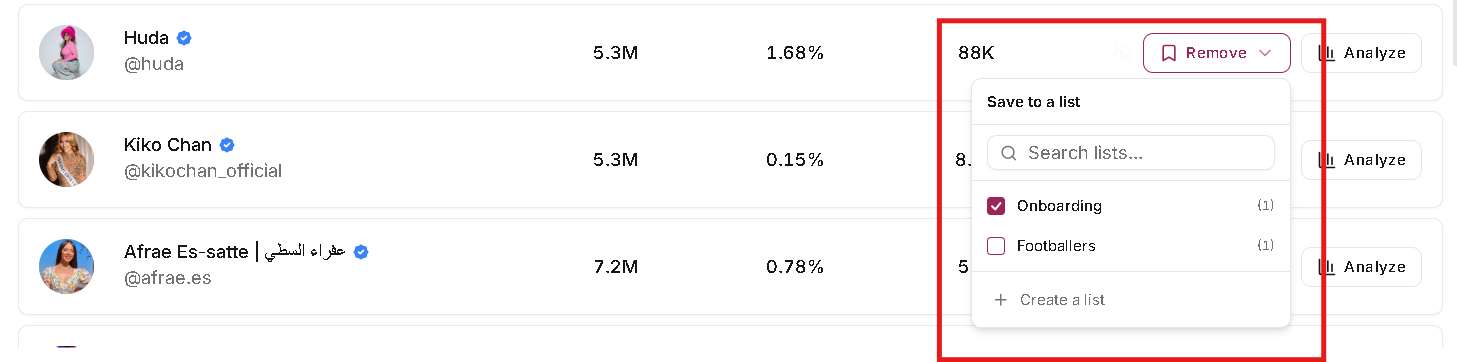
- Save the strongest contactable creators into a separate list so outreach does not mix with general research.
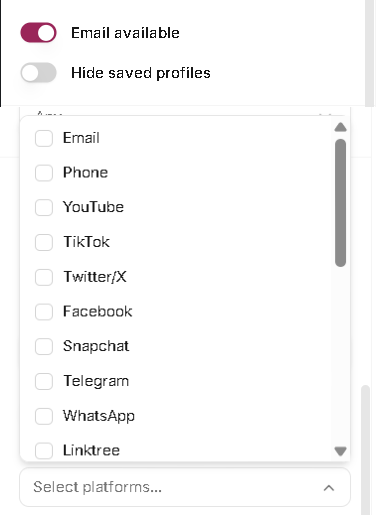
Use Socials when email is too strict
Some creators do not expose a direct email but still give you a useful path in. The Socials filter lets you narrow around phone, website-style links, and platform links. That matters for agencies and brand teams that are fine starting from a Linktree, site form, or another public handle instead of a direct inbox.
This is the better move when Email available cuts the pool too hard. You keep contactability in the workflow without pretending every good creator needs to publish an email address.
Check public links in Profile Analytics and unlock email from Relationship
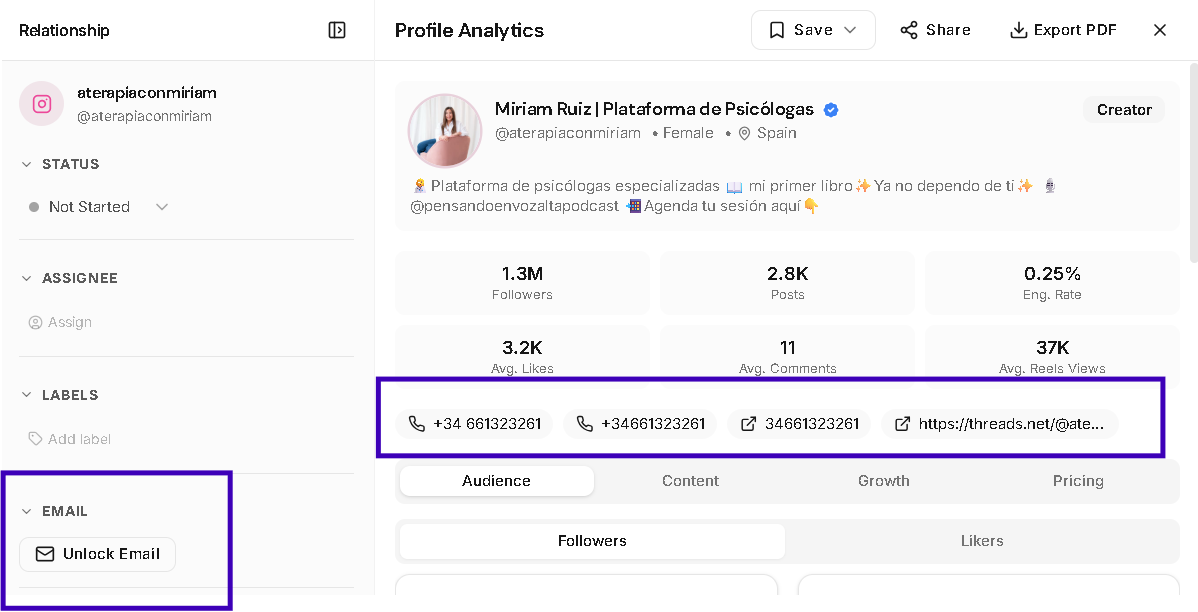
Open the creator panel once a profile clears the search pass. The top of Profile Analytics can show public contact chips like phone numbers and website-style links. Email is handled separately in the Relationship panel on the left, where Unlock Email is its own action and unlocked addresses appear there instead of in the top chip row.
- Use phone and public link chips when you need the fastest path into a site, form, or visible contact route.
- Use Unlock Email from the Relationship panel when email outreach matters and you want Leewou to run the dedicated unlock flow.
- Treat both surfaces as shortcuts, not replacements for checking whether the creator is still the right fit.
Leewou currently shows up to four public contact chips in the top section. That keeps the profile easy to scan instead of turning the header into a directory.
Note: If Unlock Email looks unavailable, check your team's privacy settings first. Leewou can disable contact information processing at the team level.
Use creator contact information without hurting the search
The trap with creator contact information is letting it outrank fit. A contactable creator who misses the brief is still a miss. A strong-fit creator with no direct email may still deserve a list slot if the team can reach them another way later.
Pro tip: Split your search into two passes. First build the right shortlist. Then rerun the same saved filter with Email available turned on if the outreach team needs a ready-now list.
Keep contactable creators separate from maybes
If outreach speed matters, save those profiles into a dedicated list or tag structure right away. A simple setup like Ready for outreach, Needs manual research, and Good fit no contact keeps the next step clean. The point is not to throw away strong creators. The point is to stop contact status from getting lost inside a huge shortlist.
Know what missing contact info actually means
Missing public contact chips mean Leewou is not surfacing phone or public link data for that profile right now. If you use Unlock Email and the Relationship panel comes back with No email found, that means Leewou did not find a public email for that creator at the moment.
When that happens, decide based on the goal. If you need reachable creators today, keep the email or socials filters strict. If you are doing deeper research, remove the contact constraint and let fit drive the shortlist again.
FAQ
Frequently asked questions about creator contact information
These are the questions that usually come up once a team tries to turn a good search into real outreach.